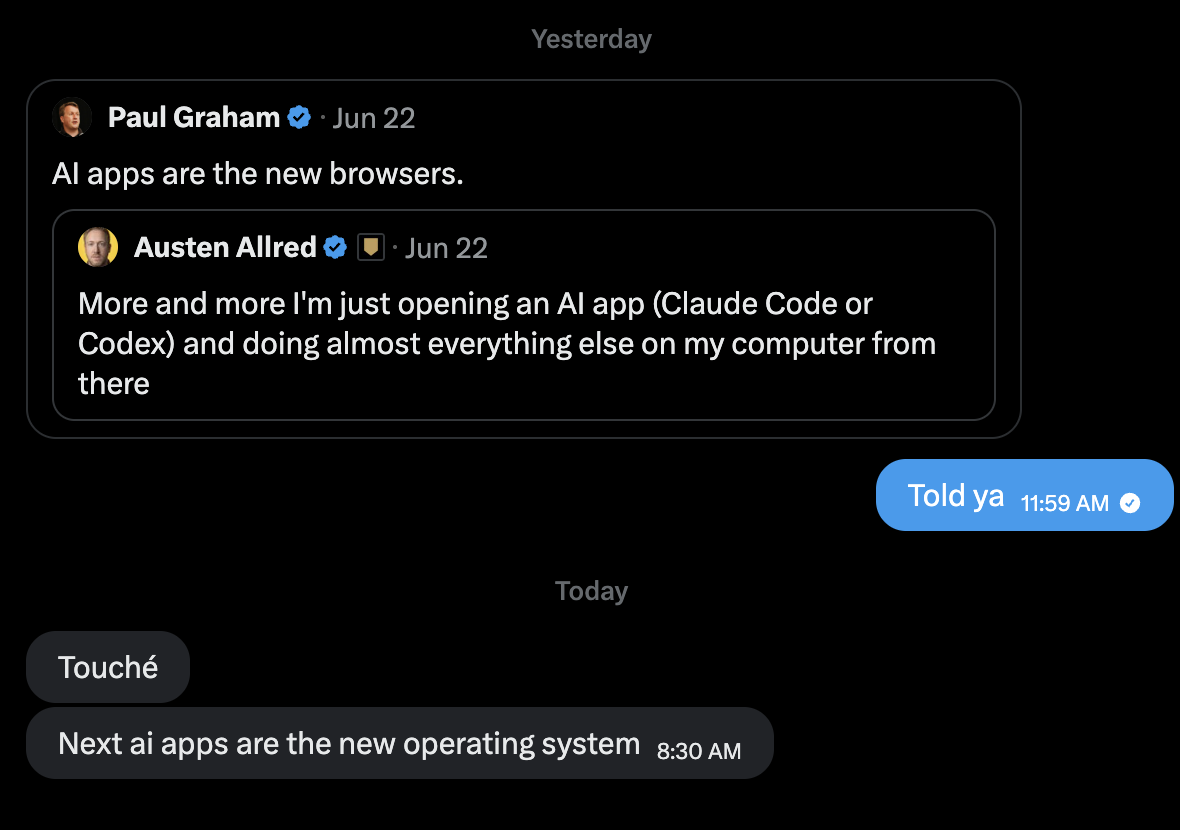
I’ve stopped using Google Chrome. Instead, I use the web through Trails, an agent manager that I built.
For the last few months, the browser inside my agent manager has become almost the only browser I use. I’ve watched more and more people arrive at some version of the same idea: agent managers will become the browser that people use most for work.
The terminal gave agents the whole computer
Last year we learned that coding agents like Claude Code and Codex are quite powerful when they have access to a computer. We gave coding agents access to our computers through the terminal.
The terminal is the most powerful tool on a computer because it’s the closest thing to the root.
The terminal doesn’t hide capabilities behind a menu. It doesn’t prescribe in advance which actions matter. It gives agents a general interface to the machine and lets them compose alongside people. That’s part of why coding agents improved so quickly.
An agent with a terminal can inspect a project, install a dependency, run a script, modify a file, start a server, test the result, read the error, try again and again, and commit the changes. Those actions don’t have to be designed into a single application, agents can assemble them itself.
The web is the other half of the computer that agents barely touch right now.
Connectors are menus
We’ve tried to solve web access with connectors. They work, and I use them to some extent. But we have to be honest about what they are: abstractions.
A connector is dev’s decision about which slice of a web application an agent should be allowed to see.
Every connector is a translation layer, or menu if you will. And every translation layer is a place where capabilities get lost.
The browser is the window to the web. We never needed a special browser for every website. We needed one browser capable of opening all of them. Agents need to see the same browser we see to expand their capabilities.
The browser is the root of the web
The way an agent uses a browser is nothing like the way I use one. An agent doesn’t scan a page the way my eyes do. It doesn’t get distracted by a sidebar or lose itself in a pile of tabs. Its understanding of a layout, a button, a form, or a navigation flow is fundamentally different from mine.
The same is true of the terminal. Agents drive a shell in ways no human would ever type. They generate scripts on demand, chain commands together, inspect outputs, and discard the scaffolding once the task is finished.
I don’t want my agent to see a curated, machine flavored shadow of the web. I want it standing in front of the same web I stand in front of: the real pages, the real flows, the real states, the real everything. Then it should be free to act on that world however an agent acts and I can observe and check on it.
Same world, different hands.
Benchmarks are shifting
We are already seeing evidence of this transition in browser agent benchmarks.
Fable currently holds some of the strongest browser use scores. On BU Bench V1, Claude Fable 5 scored 80%, twelve points ahead of GPT 5.5 in the reported results. On WebVoyager, leading agents now score around 97–98%.
| Model | BU Bench V1 | WebVoyager | Average task time |
|---|---|---|---|
| Claude Fable 5 | 80% | 97% | 6m 53s |
| GPT 5.5 | 68% | 94% | 4m 12s |
| Gemini 2.5 Pro | 62% | 91% | 3m 45s |
| Claude Opus 4.6 | 71% | 95% | 5m 20s |
The more important observation is WebVoyager is approaching saturation. Once top systems reach the high nineties, the benchmark stops telling us a lot about what separates a competent web agent from a genuinely useful one. Benchmarks such as BrowseComp and WebChoreArena become more meaningful tests because they signal longer, messier tasks that require planning, persistence, state tracking, and coordination across many pages.
The tasks mentioned above are not just browsing tasks, they’re agent tasks that happen to involve the web. And the systems best positioned to handle them are not conventional browsers with a chat boxes tacked on, they’re agent managers: environments like Claude Code, Codex, and Trails…
People have been creating distinct workflows for using the browser in agent managers, but almost no one has shown what it looks like in practice. So I want to share a few of mine, many of these workflows are still early and you can imagine many of them will improve with Fable 5.
Why agent managers make better browsers
The strongest browser agents increasingly live inside coding environments rather than browsers. There are a few reasons.
They have full-system access
An agent manager can read files, execute programs, install packages, run tests, transform data, call an API, open a webpage, and combine all of those actions in a single workflow.
A browser extension cannot casually install a dependency, inspect a local repository, start a development server, update the code, verify the result visually, and commit the change.
An agent manager can.
That difference becomes especially important when browsing is only one part of the task. Research might end in a spreadsheet. A webpage might need to be compared against a local specification. A form submission might depend on information extracted from a PDF. A bug investigation might move repeatedly between source code, browser state, screenshots, and server logs.
The browser is not the whole workflow. It is one tool inside it.
Local and remote begin to blur together
Once an agent can fetch a webpage as easily as it reads a file, the boundary between “local” and “online” starts to matter less.
Project context no longer has to live inside a folder. It can be a mixture of local documents, URLs, database records, live webpages, screenshots, APIs, and application state.
To a human, those things live in different apps. To an agent manager, they are simply different sources of context and different surfaces on which it can act.
That is a much more natural model for real work.
Context persists across the task
A browser usually knows what page is open. An agent manager knows what you are doing.
When I ask an agent to “add that video to my Are.na channel,” it may already know which video I mean, which channel I have been working with, why I want it there, and which authentication method is available. The request makes sense because the agent has been present for the rest of the session.
The browser action is not an isolated command. It is the continuation of an ongoing piece of work.
This is one of the most important differences between putting an assistant inside a browser and giving an agent access to a browser. In the first model, the browser contains the agent. In the second, the browser is one of the agent’s tools.
Long-horizon reasoning is already native
Benchmarks such as BrowseComp require agents to plan across dozens of pages, revise their approach, preserve intermediate findings, and recover when an early assumption turns out to be wrong.
Agent managers already need those capabilities for coding and research tasks. They have scaffolding for tool use, memory, retries, verification, and multi-step execution.
Browsers were designed for humans clicking links. Agent managers were designed for entities pursuing goals.
What this changes about the web
If agents become the primary way power users browse, several parts of the web begin to shift.
SEO becomes agent optimization
Websites will need to be understandable not only to search-engine crawlers, but to agents trying to complete tasks.
Semantic HTML, clear information architecture, predictable forms, accessible controls, stable URLs, and machine-readable content become more valuable. Interfaces that depend on visual ambiguity, hidden state, or clever interaction patterns become harder for agents to navigate reliably.
This does not mean designing a second, simplified web exclusively for machines. The point is the opposite: agents should be able to operate on the real web.
But it does mean recognizing that humans and agents do not parse webpages one-to-one. A design can be obvious to a person and opaque to an agent, or technically parseable by an agent while remaining unusable in practice.
The next generation of web design will need to accommodate both.
APIs become part of the product experience
When an agent has the choice between clicking through a complicated interface and sending a well-structured API request, it will often choose the API.
Products with reliable, expressive APIs become easier for agents to use. Products without them will be forced through browser automation or scraping.
The user interface will still matter for humans, but it will no longer be the only meaningful interface to the product. The API, the underlying data model, and the website’s rendered flows will all become parts of the same agent-facing surface.
Advertising has to change
Agents do not experience banner ads the way people do. They do not linger because something is visually distracting. They extract what matters to the task and move on.
That creates a problem for an internet economy built around capturing human attention.
When attention becomes partially automated, advertisers may have to compete less for impressions and more for inclusion in an agent’s reasoning. Product information, provenance, price, reputation, availability, and machine-readable evidence may matter more than visual placement.
The web does not become free of persuasion. But the mechanics of persuasion change when the immediate audience is an agent acting on someone’s behalf.
The browser may fight back
Browser vendors will not sit still.
Chrome could ship deep native agent capabilities. Newer browsers such as Dia are already experimenting with AI-centered interfaces. It is entirely possible that the browser absorbs the agent instead of the agent absorbing the browser.
But the direction of containment matters.
We have learned that agents are most capable when they have access to the computer: its files, processes, code, applications, credentials, and state. They will become even more capable when that access also includes a browser.
The reverse arrangement, a browser containing an agent but limiting it to what the browser can see, starts from a narrower foundation.
The winning product may still look like a browser. It may have tabs, a URL bar, and a viewport. But underneath, I suspect it will behave more like an agent manager: a persistent environment that can move between the web and the rest of the computer without treating them as separate worlds.
The terminal taught us that the most powerful place to put an agent is as close to the root as possible.
The browser is the root of the web.
The fact that the agent browser has become my main browser is not a quirk of my habits.
It’s a preview.
Source supplied for benchmark figures: Claude Fable Browser Benchmark, browser-use.com.